How to Use Google Flow and Veo 3 to Create Website Monitoring Videos
August 10, 2026
·6 min read
·
Visualizing technical concepts like website monitoring and system downtime used to require hours of 3D motion design or stock footage hunting. With the release of Google Flow and Google DeepMind’s Veo 3 model, developers and creators can generate studio-grade cinematic videos directly from text prompts.
This guide demonstrates how to use Google Flow to generate a video explaining website monitoring, walk through prompt refinement, and explore how active monitoring protects your real-world applications.
Getting Started with Google Flow and Veo 3
Google Flow is an AI-powered creative platform that gives developers and filmmakers fine-grained control over generative video workflows. Powered by the Veo 3 video generation engine, Flow supports native audio generation, precise camera direction, and physics simulation.
To generate a video about website and server monitoring, follow a structured prompting framework that specifies the subject, shot style, lighting, and action.
Step 1: Crafting the Initial Video Prompt
When writing prompts for Google Veo 3, treat your text as a director’s brief. Include details about the environment, camera movement, visual state changes, and audio cues.
Here is an effective prompt for visualizing website uptime monitoring:
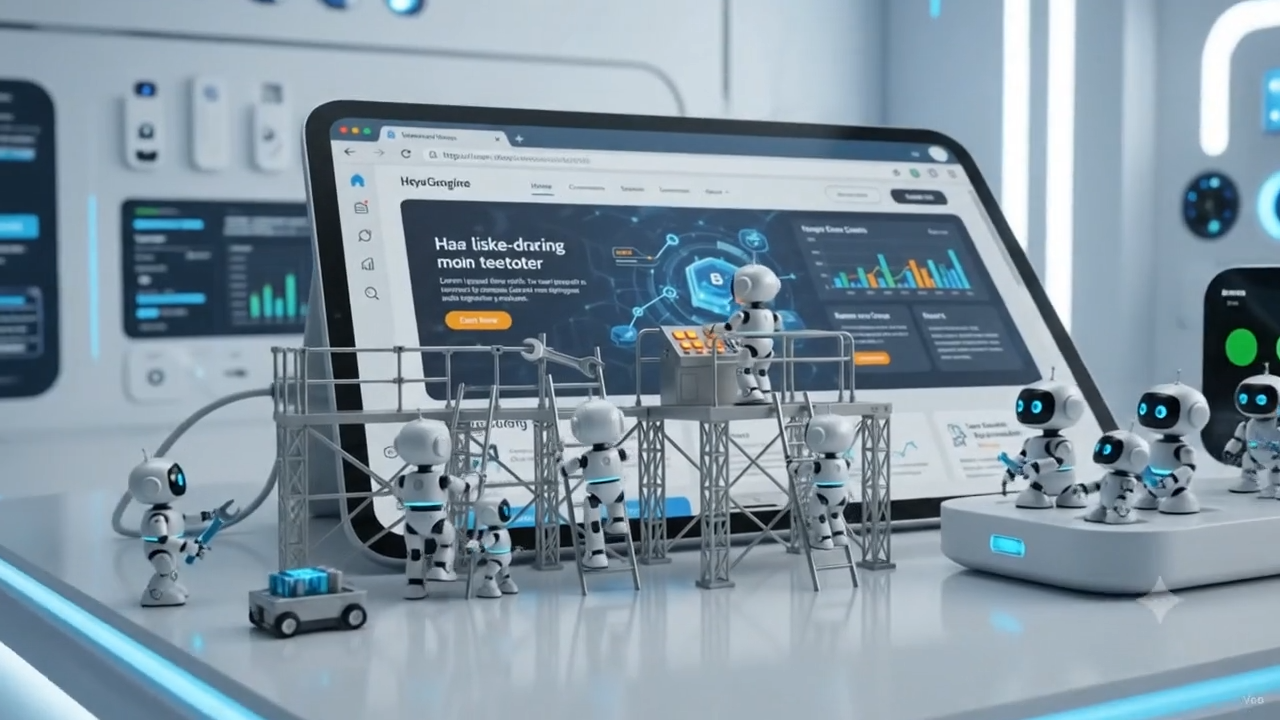
Prompt: Generate a charming, high-quality animated video depicting a website monitoring system being built and operated by a team of tiny, cute robots.
The main subject is a large website interface displayed inside a sleek macOS-style browser window, with rounded corners, a minimal browser toolbar, and subtle glass-like details. The browser window should feel like a physical structure or machine rather than a flat UI.
Tiny, adorable maintenance robots are actively working around the website. Some robots carefully assemble UI components, while others carry small parts, connect cables, inspect elements, and use tiny tools to glue and attach components to the website frame. Their movements should feel purposeful, coordinated, and industrious, emphasizing that the website is constantly being monitored and maintained.
The entire scene takes place inside a pristine, futuristic clean room with bright, soft, diffused lighting. The environment is minimal, organized, and technologically advanced, with subtle reflections and a sterile but cozy atmosphere.
Show a sense of continuous monitoring and reliability: small robots periodically inspect different parts of the website, check indicators, repair tiny issues, and keep everything running smoothly.
Visual style: premium 3D animation, cute miniature robots, polished product-commercial aesthetic, soft materials, clean geometry, subtle depth of field, cinematic lighting, realistic shadows, smooth camera movement, high attention to detail.
Camera: slow cinematic movement around the browser structure, occasionally moving closer to show the robots working on individual components. Use a combination of wide establishing shots and detailed close-ups.
Mood: cute, futuristic, reliable, industrious, clean, and satisfying.
Avoid clutter, excessive text, human characters, dark environments, or overly complex UI. Keep the website interface simple and visually recognizable throughout the video.
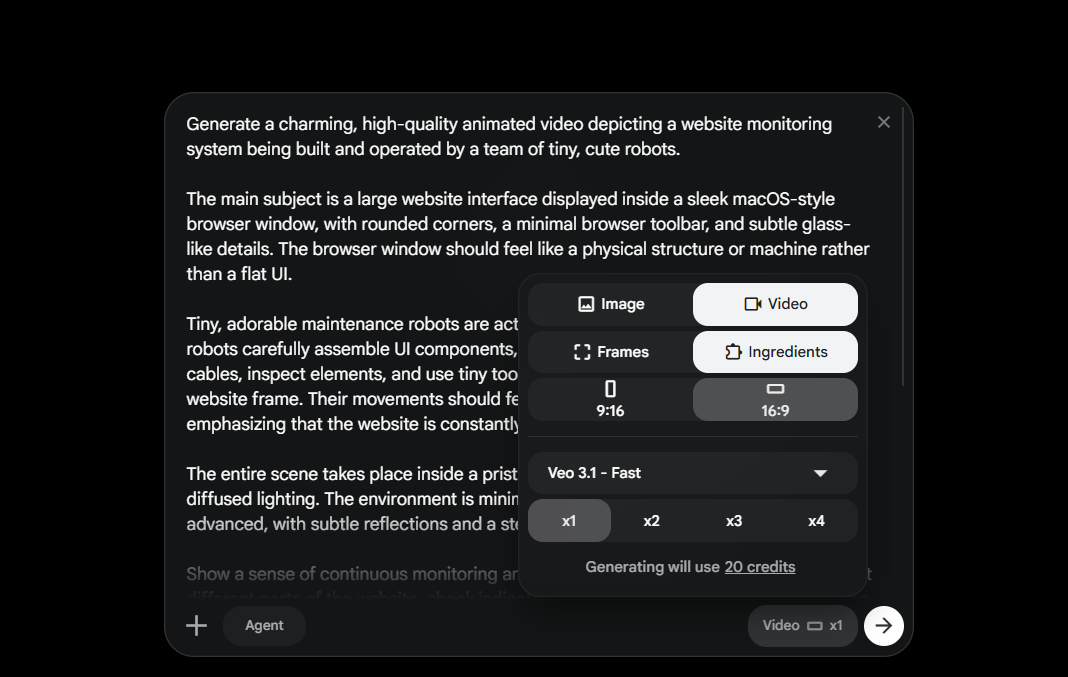
Step 2: Refining the Visuals with Follow-Up Edits
Generative AI rarely reaches perfection on the first attempt. Google Flow lets you apply iterative prompt edits to modify lighting, trigger visual events, or introduce sound effects.
Follow-up Prompt: The website is large enough that some components are far above the ground. The robots use tiny industrial scaffolding, ladders, platforms, and lifts to reach the highest parts of the website. Show several robots climbing scaffolding, carrying tools and components upward, while other robots work from elevated platforms to inspect and maintain the topmost sections.
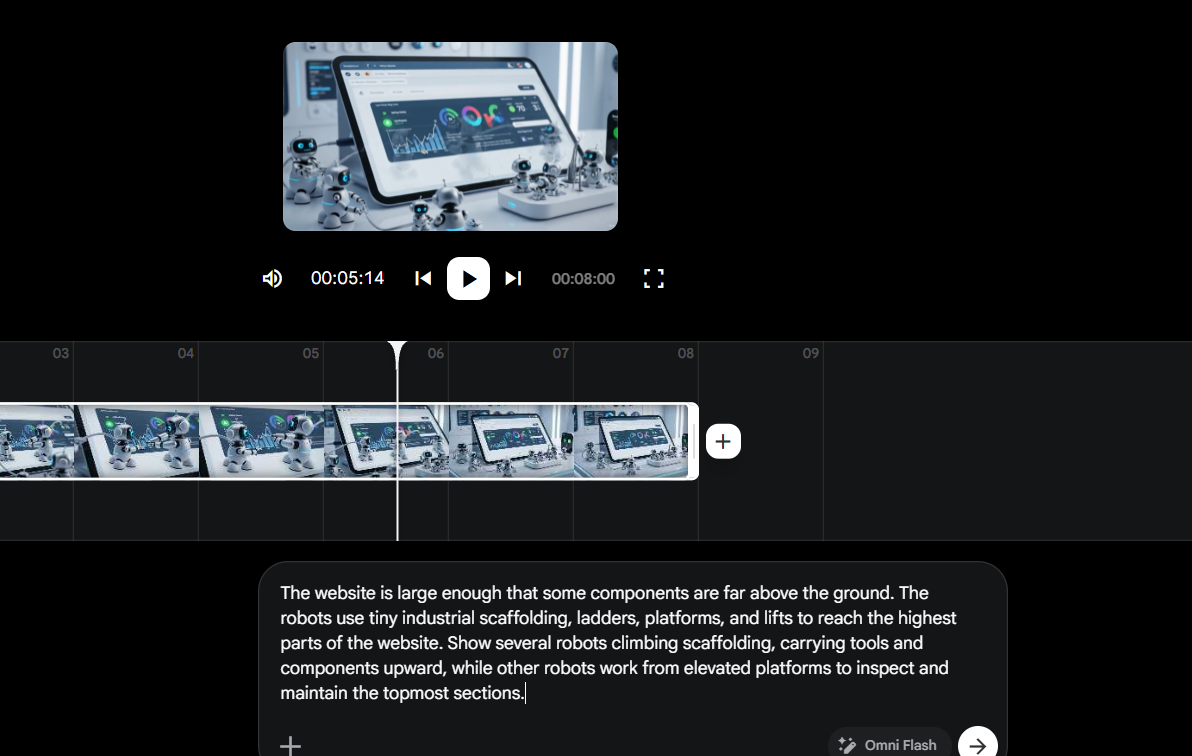
Step 3: Generating and Reviewing the Final Video
Once you apply your refinements, Google Flow processes the instructions using Veo 3. The model synchronizes visual transitions with realistic lighting changes and audio tracks.
Actionable Tips for Writing High-Impact Video Prompts
Writing prompts for video models like Google Veo 3 requires a shift from static image generation. Because video includes motion, light changes, and continuous audio, your prompt should act like a shot list in a film script.
1. Follow the Core Video Prompting Structure
To get consistent results, break your video prompts into four key components:
Subject & Scene: Define the main object or environment clearly.
Visual Style & Lighting: Specify mood, visual texture, and lighting sources.
Camera Direction: Dictate camera movement and framing (e.g., zoom, pan, tilt).
Audio & Atmosphere: Describe ambient noise, sound effects, or vocal tones.
2. Use Specific Power Words and Keywords
Avoid vague descriptions like “cool video of monitoring.” Instead, combine sensory nouns and precise adjectives to guide the model’s visual rendering and audio generation.
Category | Example Keywords & Vocabulary | Usage Example |
|---|---|---|
Nouns (Subjects & Environments) | DevOps dashboard, server rack, terminal window, glowing LED indicator, latency graph, telemetry stream, glass monitor | “A sleek server rack with glowing LED indicators…” |
Adjectives (Atmosphere & Lighting) | Cinematic, volumetric blue lighting, matte black finish, high-contrast, ambient, seamless, pristine | “Cinematic dark-mode UI with volumetric blue lighting…” |
Camera & Motion Descriptors | Slow push-in, subtle rack focus, static wide shot, gentle overhead pan, seamless transition | “Slow push-in toward the central status alert…” |
Audio Descriptors | Low-frequency fan hum, subtle alert ping, metallic click, ambient hum, crisp digital chime | “Accompanied by a low-frequency server fan hum…” |
3. Keep Temporal Shifts Explicit
When prompting state changes (like a website going down or an incident alert firing), state the exact transition point:
Use explicit sequence markers like “Suddenly transition…”, “On second 3, shift…”, or “Gradually shift the ambient lighting from blue to red…”
Always couple visual alerts (e.g., red banners or flashing text) with corresponding sound cues (e.g., warning chimes) for immersive audio-visual syncing.
From Video Visualization to Real-World Monitoring
Generating video visualizer clips is great for marketing campaigns, product demos, or documentation. However, running production applications requires real infrastructure that proactively checks service health, tracks response latency, and alerts your engineering team the moment a drop occurs.
This is where Crystade comes in.
Comprehensive Health Check Monitoring with Crystade
Crystade is a SaaS platform designed for active health check monitoring, cron job execution tracking, and incident management. While standard uptime checkers only inspect basic HTTP status codes, Crystade provides multi-protocol monitoring across diverse network layers.
Protocol / Feature | Supported Functionality | Ideal Use Case |
|---|---|---|
HTTP / HTTPS | Follow redirects, custom headers, payload inspection, HTTP/1.1 & HTTP/2 | Microservices, public web portals, REST APIs |
TCP | Custom port connections, handshake validation, TTDR, TTFB, RTT metrics | Databases, SSH, custom socket services |
TLS / SSL | Chain verification, certificate expiration tracking, algorithm validation | HTTPS endpoints, security compliance |
Minecraft Protocol | Native handshake, player counts, server MOTD extraction | Game server hosts, community infrastructure |
Check Scripts (DSL) | Embedded programmable assertions written in Rice | Complex JSON payload and body validation |
Why Modern Teams Choose Crystade
Multi-Locational Probes: Execute active checks simultaneously from global cloud regions, including North America, Europe, Southeast Asia, and Australia.
Programmable Check Scripts: Write custom domain-specific language (DSL) scripts to validate response payload structures without writing external workers.
Instant Alerts & Status Pages: Keep engineering teams informed and provide transparent public or private status pages for users during service degradations.
Flexible Subscription Billing: Pay predictable tier rates based on team capacity, probe intervals, and monitor counts without hidden bandwidth charges.
Key Takeaways
Google Flow & Veo 3 allow creators to generate cinematic video content for complex technical concepts like server uptime and network latency.
Structured prompts that specify scene framing, lighting changes, and camera direction produce the highest quality results.
Visualizing website health is valuable for content, but reliable infrastructure requires proactive active monitoring.
Crystade delivers deep multi-protocol active checks (HTTP, TCP, TLS, Minecraft), programmable check scripts, and real-time status management to keep your platforms online.
Ready to secure your service availability? Explore Crystade today and set up your active monitoring probes in minutes.
Share this post
Related Posts
Keep reading from this category

How to Monitor Model Context Protocol (MCP) Servers for AI Tools
Model Context Protocol (MCP) servers are the backbone of AI tool integrations, but silent failures can break your agents. Learn what to monitor and how Crystade’s active monitoring keeps your MCP infrastructure healthy.

Cloudflare Spectrum for Minecraft: Protect, Accelerate, Then Monitor with Crystade
Cloudflare Spectrum offers 477 Tbps DDoS defense and Anycast latency for Minecraft servers, but it doesn’t answer one critical question: is your server healthy? Discover how Crystade’s active monitoring for Minecraft protocol, TLS, and all stack layers completes your uptime strategy.


Monitoring WordPress Websites: Beyond Basic Uptime Checks
Learn how to monitor WordPress uptime, TLS certificates, database connections, and background cron jobs to prevent silent outages and maintain site reliability.